22 August 2008

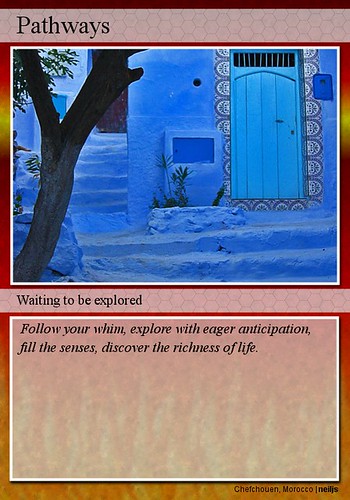
#13 Image generators

ImageChef.com - Custom comment codes for MySpace, Hi5, Friendster and more

Got this one from Imagechef

You can spend a lot of time playing around and having fun. Just think of the posters and messages you can make and send! I even saw a Celtic cross stitch chart maker for words you submit. (Will definitely revisit that site later.)

20 August 2008

#12 Learning 2.0 sandbox wiki

Wetpaint must be one of the easiest wikis to use - no wiki markup language to learn. Just an easy graphic editing tool bar that reminds one of wordprocessing programmes. The other features make it more than just a traditional content wiki. The discussion threads and commenting spaces really facilitates communication and community building and make it fun to use.

#11 Wikis and libraries

Wikis are my favourite web application. I have two wikis - one to keep snippets of information that I would like to keep to refer back to from time to time and one for helping organising my work. Both of them I have made private as it is for personal use.

The possible uses of wikis are endless. In any context where content is created wikis can be of use. One of the first examples of a library using a public wiki that I came across was the Antioch University New English Library training wiki. The examples of libraries using wikis illustrates how versatile wikis can be.

Unfortunately a lot of wikis are placed behind firewalls so they can't be accessed by public. This is especially the case of businesses that use wikis. Wherever groups are coming together and creating documents wikis should be of great use, though there is a great assumption of trust among wiki users. Without that trust it is impossible to rely on the wiki as communication and information tool.

14 August 2008

#10 Library 2.0

Library 2.0 is about taking up the fundamental principles of Web 2.0 and structure the way we think about how the library serves the needs of our patrons within that frame work. This constitutes a radical change in how we go about building relationships with our patrons and deliver library services.

We need to embrace especially user partcipation. Up to now we have mostly created and structured content for the patron. With lib 2.0 the patron contributes to content and is allowed to have their say in a much more direct manner. There is a smathering of that already happening, e.g. ratings on the OPAC which is similar to the popular 'voting' on a lot of websites where patrons let everyone know what they liked/disliked. I have seen this happening at other library websites in different ways:


  • Users creating book lists which is available on OPAC.

  • Wiki created so that library parons could lists their favourite places in their community.

  • Blogs created for patrons to submit their book reviews.

  • Blogs created with old photographs so that users could tell about the local history around those photographs.

  • Photos put on Flickr so that users can tell what they know about those photographs.

  • Patrons tagging catalogue records.

This means we will have to let go of the tight control we keep over some of the content we present to our patrons - a step that will take a lot of courage as we will have to embrace a lot of different viewpoints and also imperfection. A prime example of such a lib 2.0 website is Amazon. Although it is not a library web site we can learn a lot from how it allows users to create content, give their opinions and have in conversations on the website!

10 August 2008

#9 Exploring Technorati

One can spend quite a lot of time searching the listed blogs. I looked at the top 100 blogs (by authority) list and subscribed to a few (have to weed my list at Bloglines). Then did a search for learning 2.0 using the Quick search option with a result of 7,471 sites. After a quick look at the first two pages it looked like there are a lot of irrelevant sites on the list. I did the same search using the tags option (in advanced search) and got a result list of 623 sites. After a quick look at the first two pages I found that more of the sites on this list were relevant, though there were some duplication. So, the tag search may be a better option than the keyword search to start off with.

To compare the results with other blog search engines, I used Google Blog search (result = 200,021 sites) and Bloglines (result = 95,500 sites). Both these search engines came up with an overwhelming number of sites. Looking at the first page I didn't see any overlaps with Technorati, though Google blog search and Bloglines did have some of the same sites listed on their first pages of results.

It might be a good idea to use Technorati and Google/Bloglines when searching for blogs. When using Google or Bloglines a narrower defined search should be used to get more relevant results.

A pleasant surprise was that you could subscribe to your search query in Technorati. Now that has great possibilities for research, picking up trends or staying up to date.

05 August 2008

02 August 2008

#8 del.icio.us and libraries

I did a search on del.icio.us using the tag libraries to see how libraries use social tagging and came across someone who is doing exactly that. I checked out a few public libraries' bookmarks and also looked at a few libraries' websites to see where they have placed the Delicious bookmarks on their websites.

Delicious is an easy way to organise long lists of sites and it was interesting to see what tags the different libraries used. Most had lists that covered all subject areas one could expect to come across when answering information queries.

As for where they place the Delicious bookmark on their website, it varied a lot. Many libraries didn't put the Delicious list on their websites at all (unless it is just that I couldn't find it on the website.) Perhaps the Delicious bookmark is on their Links bar on the reference desk computers and is not available for public. One such example is the San Mateo Public Library. They have their Delicious bookmark organised according to Dewey, which is useful to librarians who have a working knowledge of Dewey numbers, but it may not be useful to public. To make a Delicious bookmark for public tags or keywords would be more useful. Some had the link under the Reference section, which makes sense. Menasha public library had theirs linked from the home page under the reference section directly through to Delicious. The CSU-Pueblo library has a link through to their Delicious bookmarks from their blog's side bar. (Couldn't find a link to the library's website from the blog, and on the website couldn't find a link to the blog, although I used the site search engine.) On their webpage the link to Delicious is under Find, Web links.